This example app was generated from a single prompt. Describe what you need and download it ready for Windows or Linux. If you want to create an app like this one or any other idea you can think of, create your free account
Example app
IP Scanner
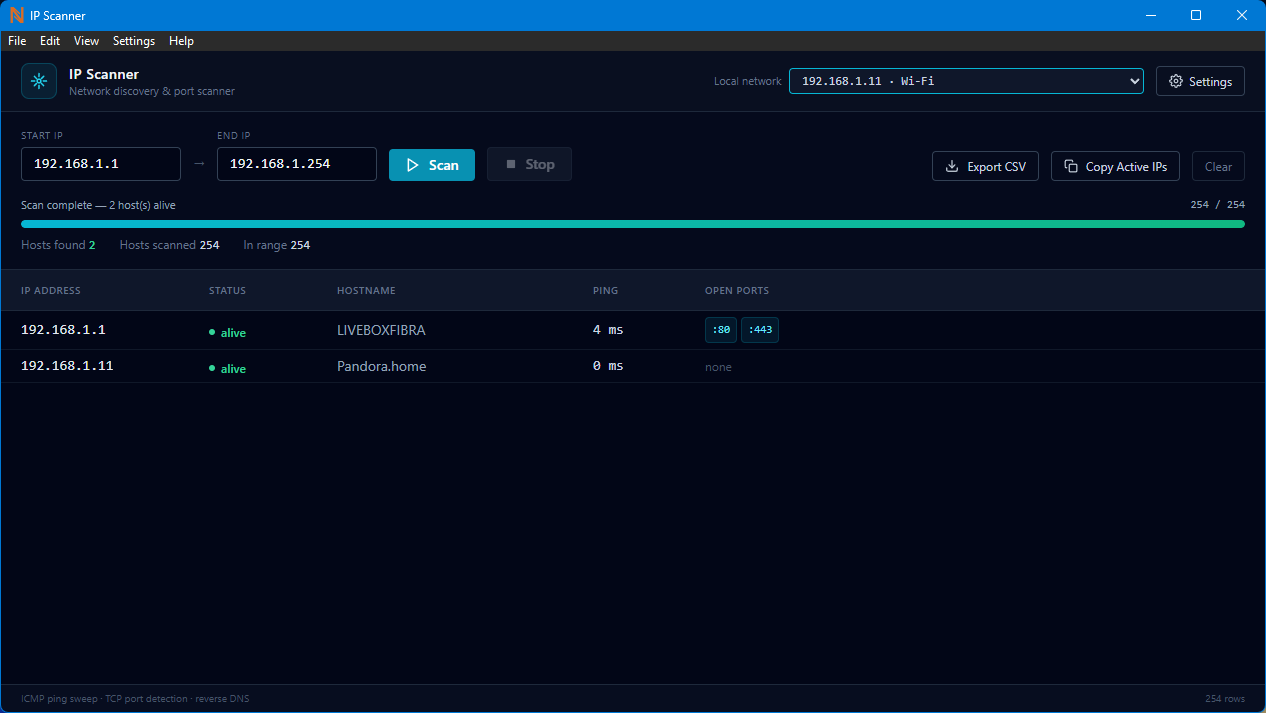
Scan IP ranges, detect active hosts, resolve hostnames, and scan common ports with a professional dark-themed UI.
Original Prompt
Create a network IP scanner desktop app:
UI:
- IP range input fields (start IP - end IP) with Scan/Stop buttons
- Progress bar with hosts found counter
- Results table: IP, Status (green=alive/red=dead), Hostname, Ping (ms), Open Ports
- Real-time updates as scan progresses
FEATURES:
- Ping sweep across IP range
- Hostname resolution for active hosts
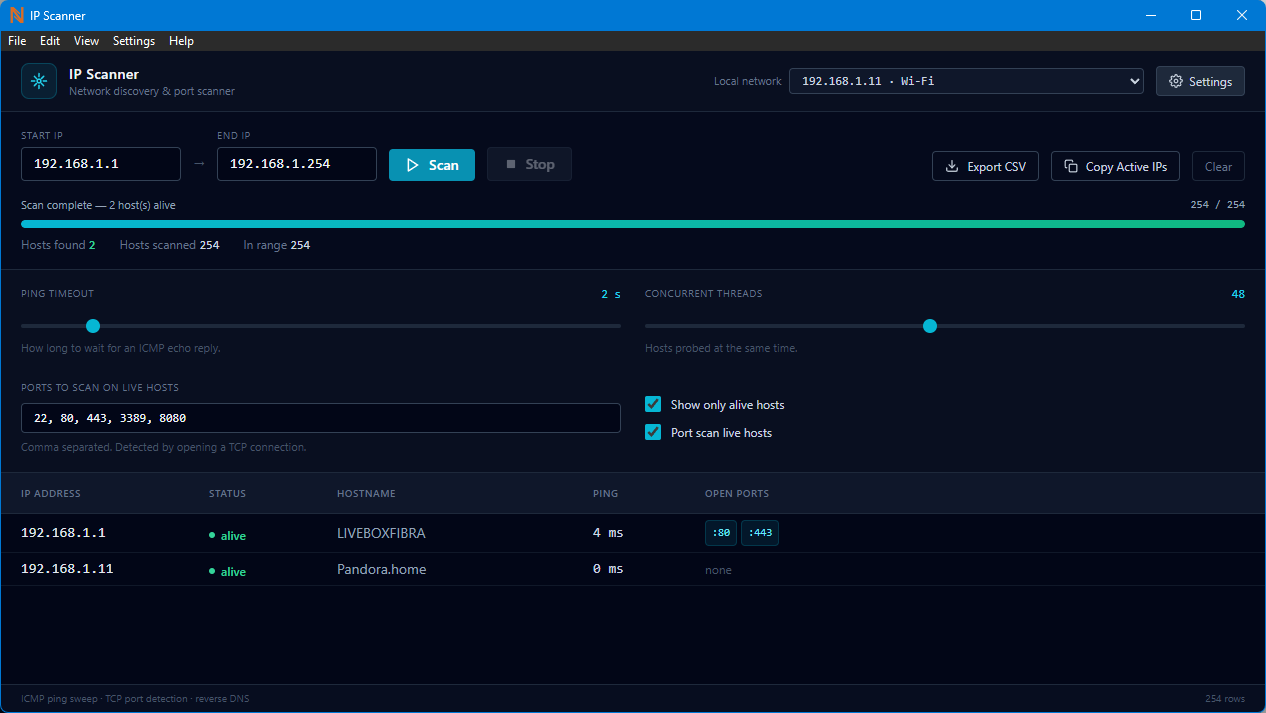
- Port scan for common ports (22, 80, 443, 3389, 8080)
- Export results to CSV
- Copy active IPs to clipboard
SETTINGS:
- Ping timeout (1-10s)
- Concurrent threads (1-100)
- Custom port list
- Show only alive hosts toggle
DESIGN:
- Dark theme
- Monospace font for IPs
- Minimal icons, professional network tool aesthetic
1 / 2
Features:
CSVNetwork tools
Download this example app
File Size: ≈ 10 MBFree download